VIDEO & SECURITY MANAGEMENT
One platform.Complete security.
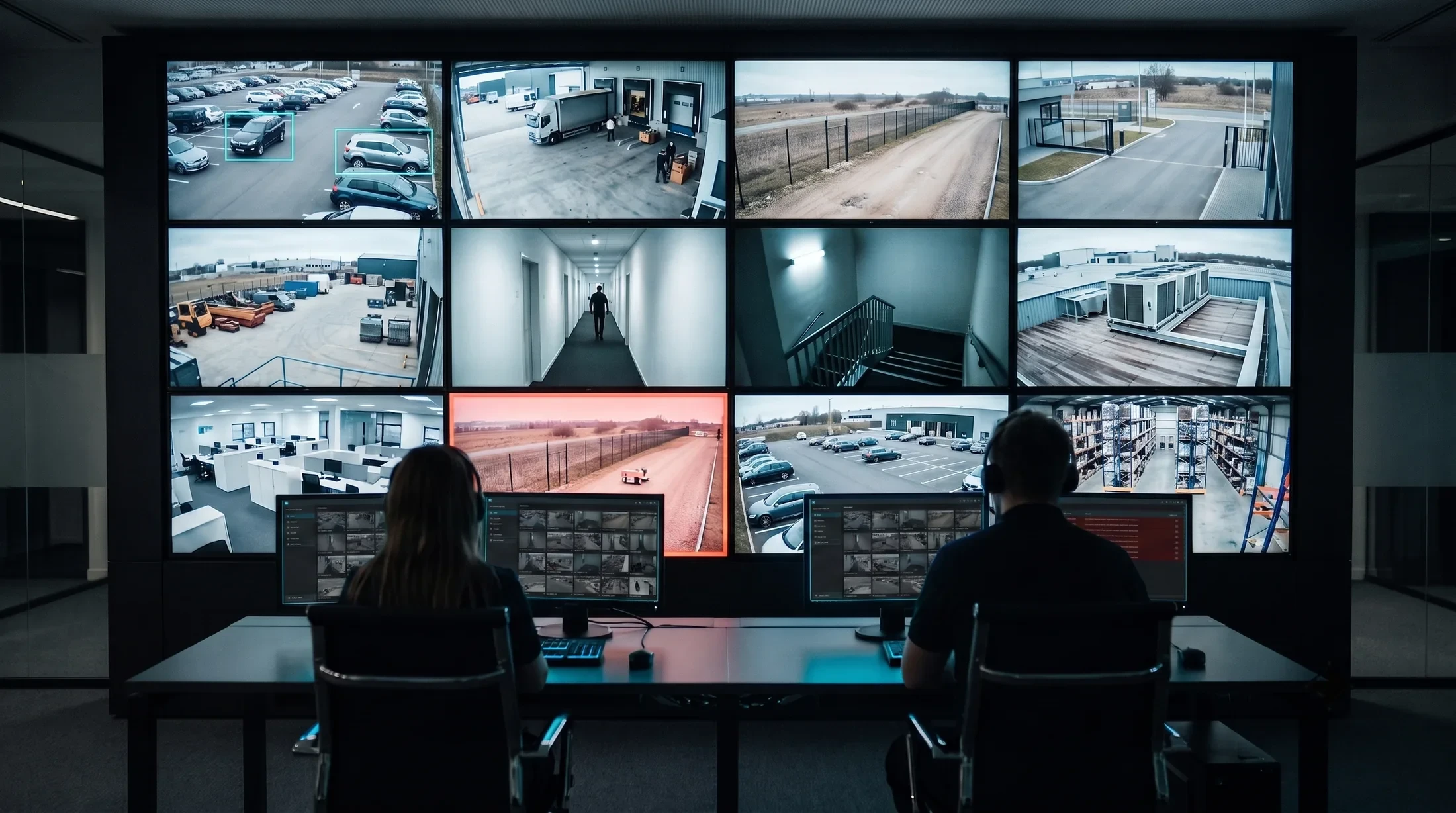
Manage live video, recordings, alarms and connected security devices in one place. Give your team a clear view of events and the tools to respond.
EVERYDAY OPERATIONS
Everyday tasks.
One connected system.
Explore three common tasks: display a camera, review an event or manage an intercom call. Follow each example to see how the tools work together.
Illustrated workflow
Choose the camera. Select the screen.
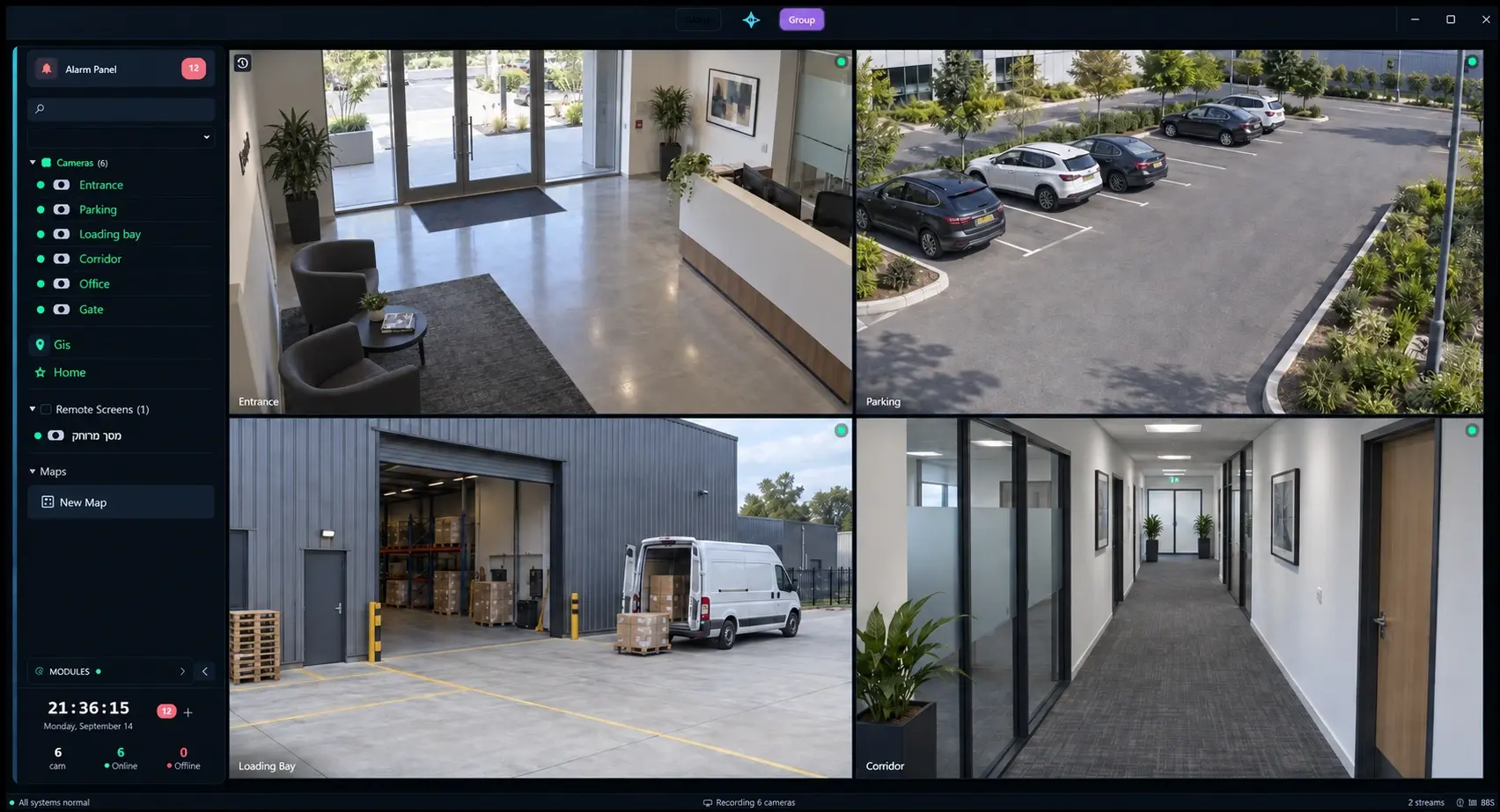
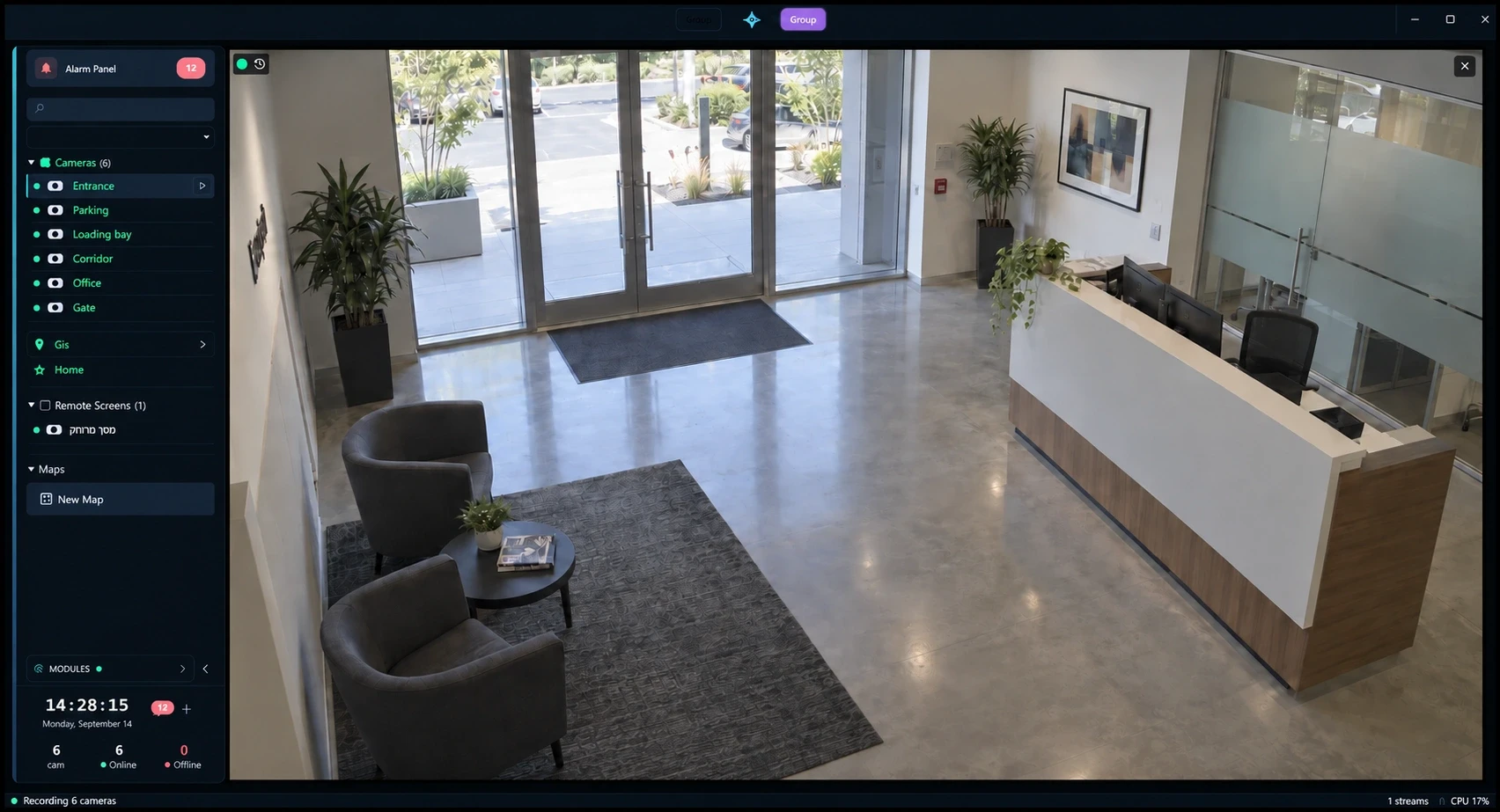
Display a camera by name on the workstation and screen you choose. Adjust the view as the situation changes.
“Open Entrance”Start with a named camera, group, map or saved layout.
WORKS WITH LEADING CAMERA BRANDS
01 / EXPLORE THE PLATFORM
See the full picture.
Focus on what matters.
Bring live views, detected activity, alarms and site maps into one workspace. Select a view to explore how your team can monitor and respond.
Features
Your security tools.
Working together.
Monitor live video, review recordings and manage alarms from one platform. Use voice commands to control views, handle intercom calls and open connected doors.
Live video
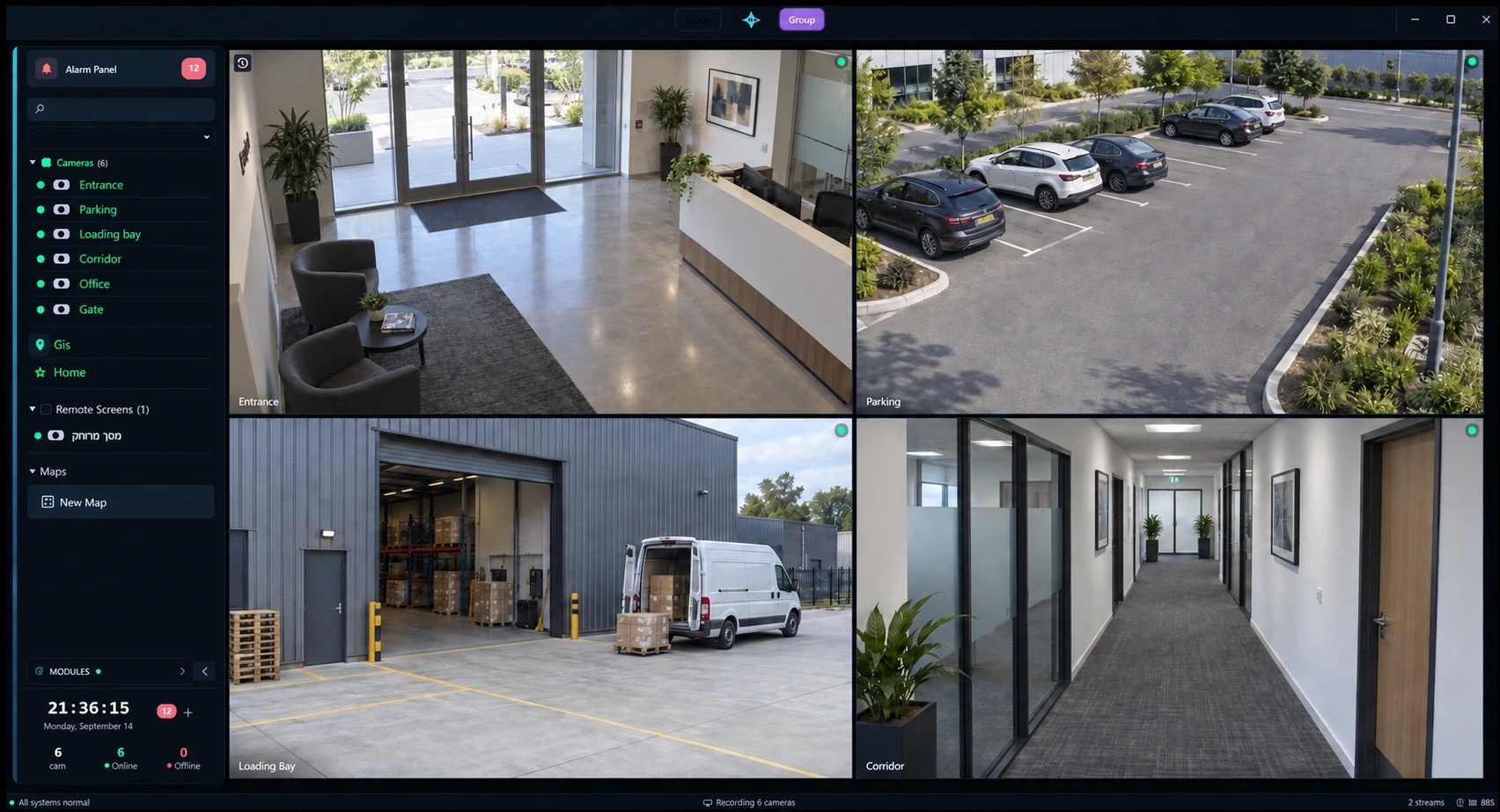
Monitor up to 81 cameras per screen with standard or custom layouts. Graphics-card decoding helps keep video smooth and reduces processor load.
Camera control
Control camera direction and zoom from your workstation. Focus on a selected area, save camera positions and schedule patrol routes.
AI video analytics
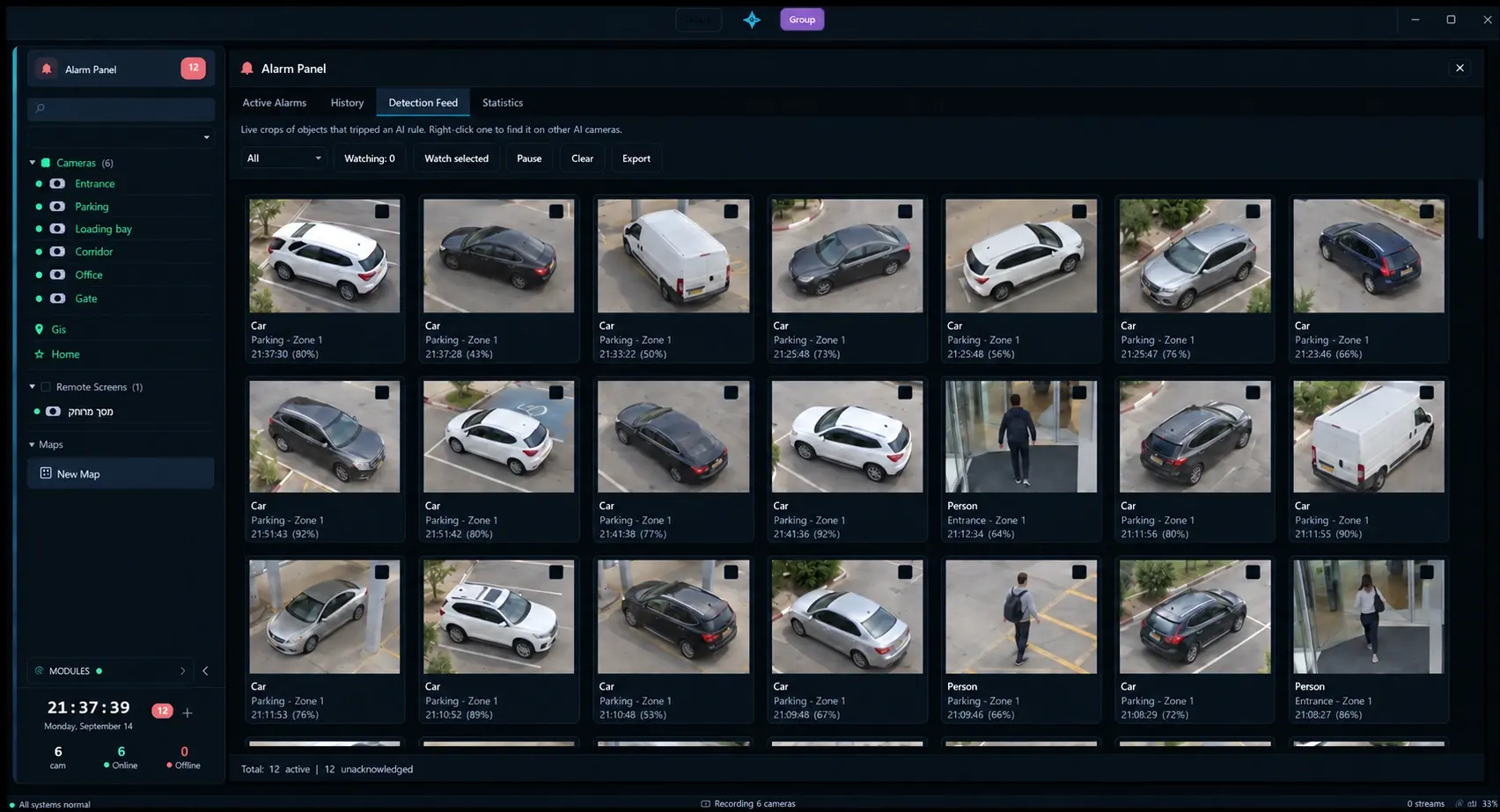
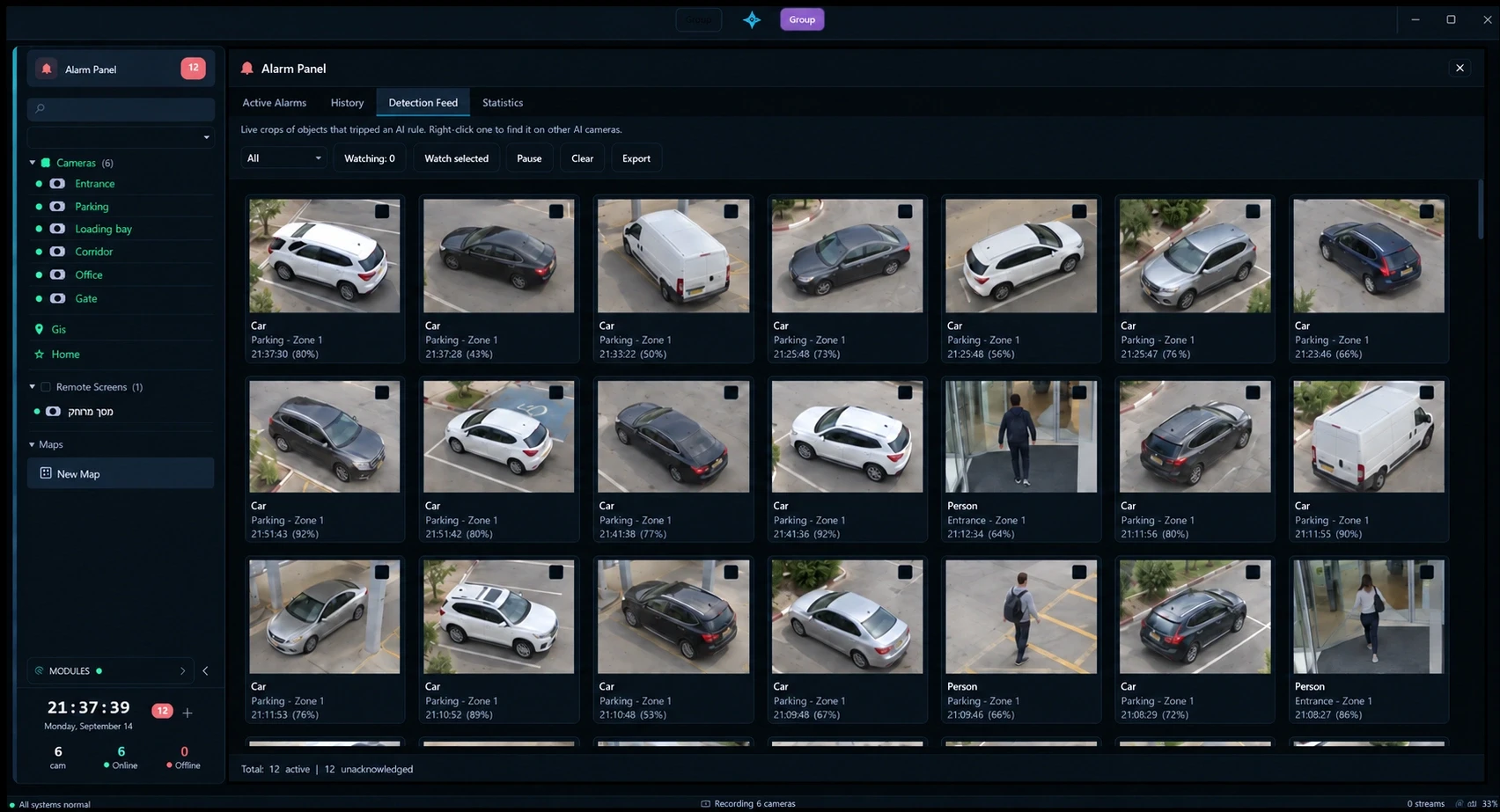
Detect people and vehicles in selected areas. Receive alerts, follow activity across cameras and find related recordings.
Alarms & automation
Connect events to actions such as displaying a camera, starting recording or opening a gate. Test rules before activation and escalate unanswered alarms.
Recording with backup
Store video near your cameras and configure a second recorder for backup. Review footage from both recorders on one continuous timeline.
Video walls & multiple screens
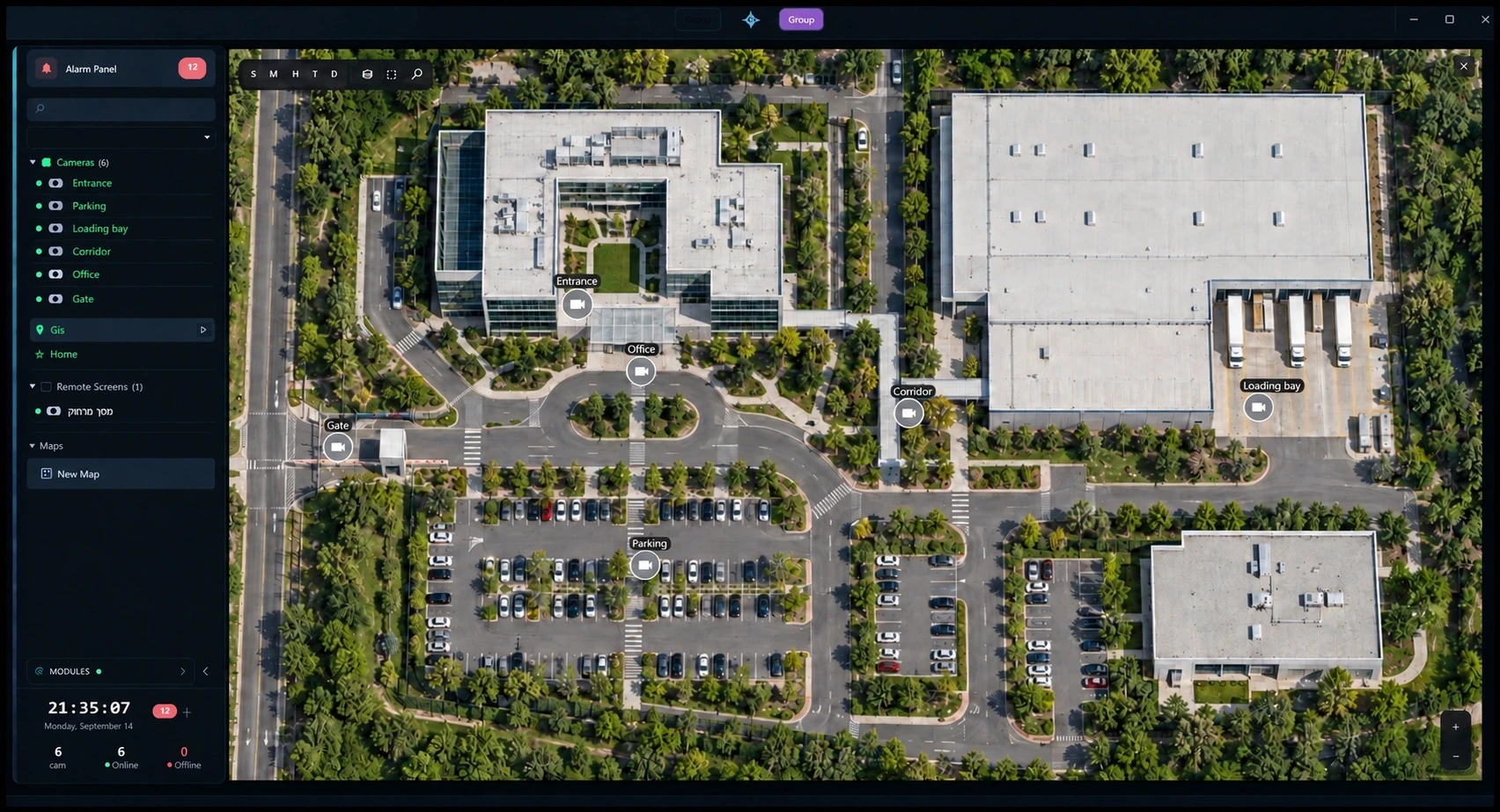
Coordinate camera views and maps across control room screens. Manage displays from your workstation and save a layout for each monitor.
AI voice assistant
Use voice commands to open cameras, recordings, maps and layouts on a selected workstation and screen. Check alarms and camera status, and add custom commands.
Intercom & door control
Call, answer and end intercom conversations from the operator workspace. Open connected doors and manage these actions with the AI voice assistant.
A connected system for your site
Connect cameras, recording, alarms and intercoms in one system. Your team can view video, manage calls and open connected doors from the operator workspace, using the interface or AI voice commands.
Select a component, or explore a flow below.
Your devices. One operator workspace.
Connect cameras, recording, alarms and intercoms in one system. Your team can view video, manage calls and open connected doors from the operator workspace, using the interface or AI voice commands.
Voice control operates the workspace. The optional AI analytics server analyses video. These are separate capabilities.
03 / Why Zoryaq
Everyday security needs.
Practical answers.
Keep essential information in view, protect recordings and coordinate a response. Explore how Zoryaq supports common security challenges.
Book a demoChoose the areas you want to monitor. Zoryaq can alert your team when a person or vehicle enters a zone, so operators do not have to watch every camera at once.
Record a camera to two recorders for backup. If one fails, the other continues recording. Review footage from both on one continuous timeline.
Alarms are sorted into nine colour-coded priority levels, with the most urgent at the top. Your team can quickly see which events need attention first.
Recordings are encrypted and digitally signed to help detect changes. You can check whether a recording has been altered on another computer, outside your Zoryaq system.
Use one set of rules for cameras, alarm panels, sensors and gates. An event can start recording, open a gate and display the relevant camera in the control room.
Your system runs on hardware at your site, with settings managed by your team. Keep video, alarms and day-to-day operations under your control.
Connected across your site
One Windows installer sets up your server, recorders and workstations. Choose a role during setup. Optional AI analytics runs on a separate Linux server.
Main server
Central management · Windows
Manages settings, cameras and alarm rules for the whole site. It stores the database and coordinates recording. Recorders, workstations and analytics servers connect here.
Features
- Manage settings, users and permissions for the whole site
- Run alarm and automation rules
- Coordinate recording across all recorders
- Keep system and camera clocks in sync
- Add a standby server for recovery if the main server fails
Remote recorders
Local video storage · Windows
Store footage on dedicated machines near your cameras to reduce network traffic. Each recorder manages its assigned cameras and local storage. Add recorders as your site grows.
Features
- Record assigned cameras to local storage
- Record a camera to two recorders for backup
- Switch recorders automatically and restore missing footage after recovery
- Move older footage to long-term storage
- Keep a second disk copy and switch to it if the first fails
Operator workstations
Daily monitoring · Windows
Give your team live video, playback, camera control, maps and alarms in one application. Settings are managed centrally, so new workstations use the same setup when they connect.
Features
- View up to 81 cameras per screen across multiple monitors
- Play multiple cameras on one timeline
- Control pan, tilt and zoom cameras from your workstation
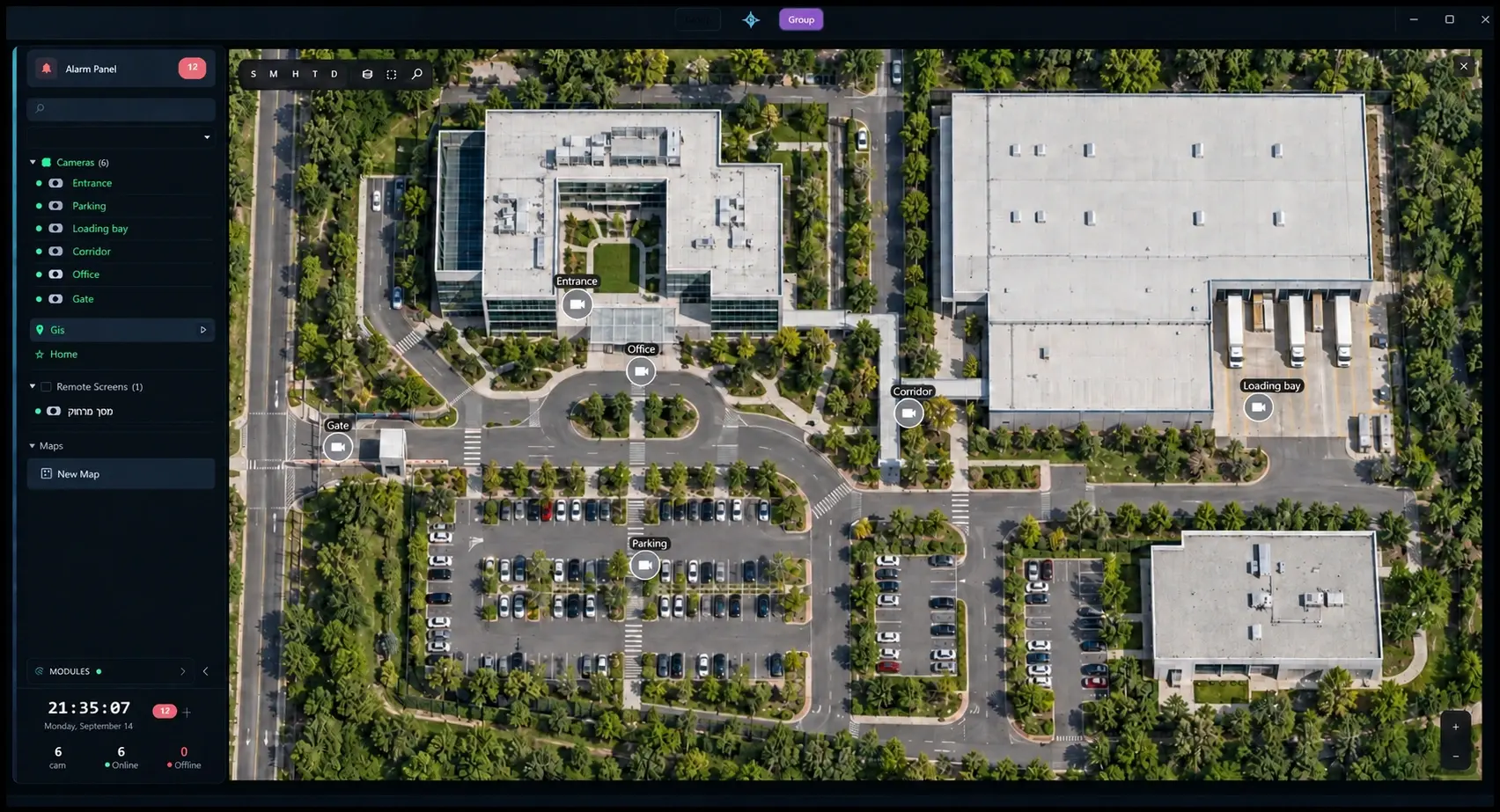
- Use floor plans, maps, camera tours and video walls
- Choose display colours and use right-to-left languages
AI analytics server
Optional video analysis · Linux · GPU
Analyse video on a separate server with a graphics card. Assign cameras to it and send detections back to the main server. Add more analytics servers when needed.
Features
- Connect to the main server with administrator approval
- Assign cameras to specific analytics servers
- Detect people, vehicles and other objects in selected zones
- Follow people and vehicles across cameras
- Add servers as you add cameras
On the roadmap
Multiple sites, one control room
We are developing a shared control-room view for multiple sites. Each site already runs independently on its own main server. The planned view will bring cameras, alarms and recordings together, while each site continues working if its connection to the control room is lost.
- Keep each site independent with its own recording
- View cameras and alarms from multiple sites in one control room
- Access recordings from any connected site
- Connect new sites to the control-room server
LET’S PLAN THE RIGHT SYSTEM FOR YOUR SITE
See what Zoryaq
can do for you.
Book a demonstration to explore the tools your team needs. We’ll discuss your cameras, recording requirements and daily operations.
Book a demo